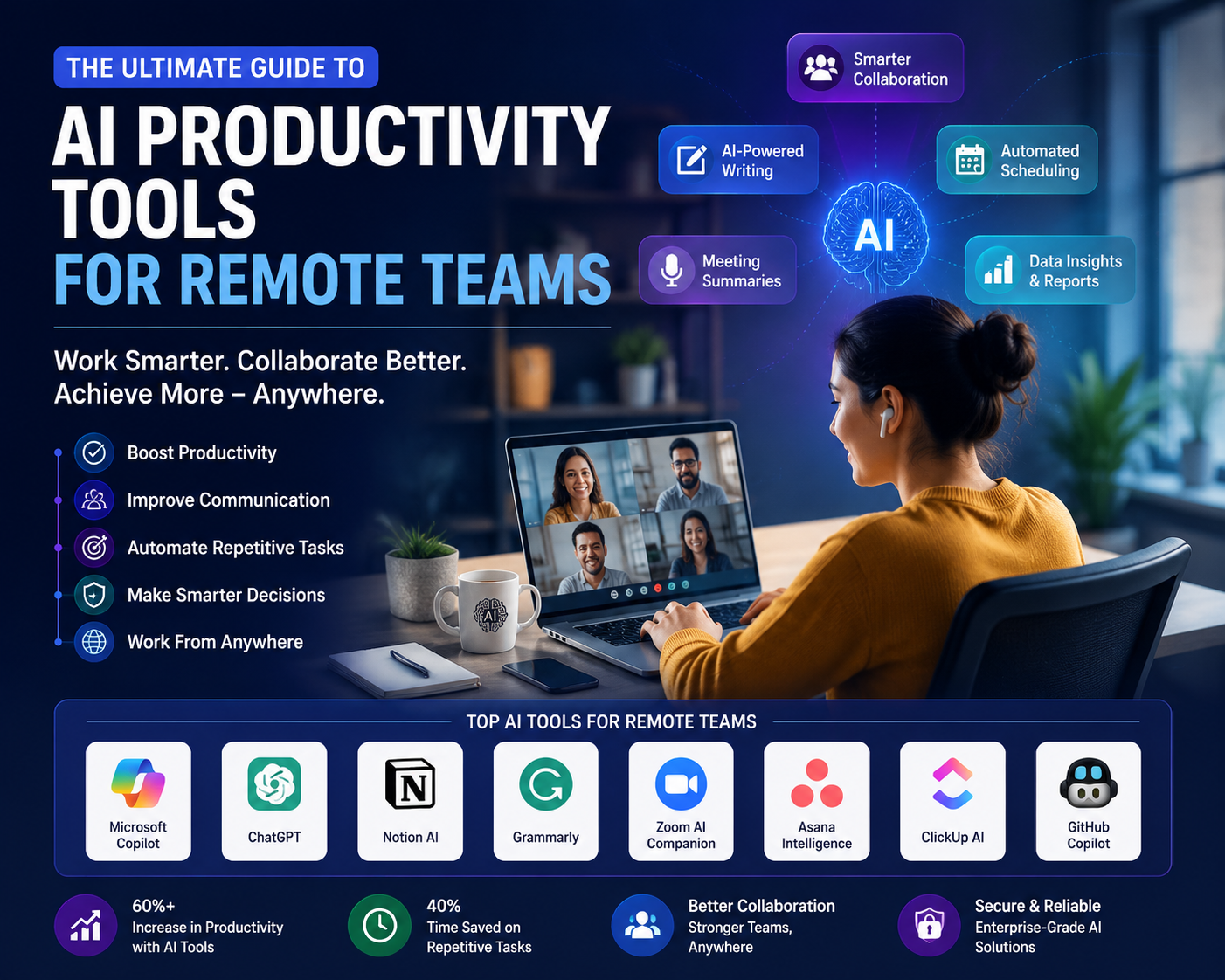
Discover the best AI productivity tools for remote teams in 2026. Learn how AI improves collaboration, communication, project management, and business efficiency.
Introduction
Remote work has evolved from a temporary solution into a permanent business strategy for organizations worldwide. As distributed teams become the norm, companies are increasingly turning to AI Productivity Tools for Remote Teams to improve communication, automate repetitive tasks, enhance collaboration, and boost overall efficiency.
Artificial intelligence is reshaping how remote employees manage projects, attend meetings, write documents, analyze data, and communicate across time zones. Modern AI-powered solutions can summarize meetings, prioritize emails, automate workflows, generate reports, assist with coding, schedule tasks, and even provide intelligent insights that help teams make better decisions.
Whether you’re managing a startup, leading an enterprise workforce, freelancing, or working in a hybrid environment, choosing the right AI productivity tools can significantly improve productivity while reducing manual workload and operational costs.
In this comprehensive guide, we’ll explore the best AI productivity tools for remote teams, compare leading solutions, examine their benefits and challenges, discuss real-world use cases, and analyze future industry trends to help you build a more efficient digital workplace.
What Are AI Productivity Tools for Remote Teams?
AI productivity tools are software applications that use artificial intelligence, machine learning, and automation to help remote employees complete tasks more efficiently.
Unlike traditional workplace software, AI-powered tools can:
- Automate repetitive work
- Generate written content
- Summarize meetings
- Translate conversations
- Schedule appointments
- Analyze large datasets
- Improve project planning
- Assist with coding
- Answer workplace questions
These tools integrate with collaboration platforms, cloud services, customer relationship management (CRM) systems, and project management software to streamline workflows.
Why AI Is Essential for Remote Work
Remote work presents unique challenges, including communication delays, meeting overload, information silos, and time zone differences. AI addresses these issues by improving efficiency and reducing administrative burdens.
Increased Automation
AI automates routine activities such as:
- Email management
- Task assignment
- Calendar scheduling
- Data entry
- Meeting transcription
- Document organization
Better Collaboration
AI-powered collaboration platforms enable teams to share information more effectively, regardless of location.
Faster Decision-Making
AI analyzes business data and provides actionable insights, helping managers make informed decisions more quickly.
Reduced Administrative Work
Employees spend less time on repetitive tasks and more time on strategic initiatives.
Best AI Productivity Tools for Remote Teams
1. Microsoft Copilot
Microsoft Copilot integrates with Microsoft 365 applications, enhancing productivity across Word, Excel, Outlook, Teams, and PowerPoint.
Key Features
- AI-generated documents
- Email drafting
- Meeting summaries
- Data analysis
- Presentation creation
Best For
- Enterprises
- Corporate teams
- Microsoft ecosystem users
2. ChatGPT
ChatGPT has become one of the most widely used AI assistants for businesses and remote professionals.
Capabilities
- Content creation
- Brainstorming
- Coding assistance
- Research support
- Customer communication
- Document summarization
Ideal Users
- Writers
- Developers
- Marketers
- Entrepreneurs
3. Notion AI
Notion AI enhances documentation and knowledge management.
Features
- Automatic note generation
- Document summaries
- Project planning
- Writing assistance
- Workflow organization
Perfect For
- Documentation
- Knowledge bases
- Team collaboration
4. Grammarly
Grammarly uses AI to improve written communication across emails, reports, proposals, and messages.
Highlights
- Grammar correction
- Tone detection
- Clarity suggestions
- AI writing assistance
Business Benefits
- Professional communication
- Improved customer interactions
- Consistent brand messaging
5. Zoom AI Companion
AI is transforming virtual meetings by making them more productive.
Capabilities
- Live meeting summaries
- Action item generation
- Intelligent transcripts
- Conversation highlights
Suitable For
- Distributed teams
- Client meetings
- Executive briefings
6. Asana Intelligence
Asana integrates AI into project management workflows.
Features
- Smart task prioritization
- Project summaries
- Deadline recommendations
- Workflow automation
Best Applications
- Project planning
- Team management
- Business operations
7. ClickUp AI
ClickUp combines project management with AI-powered workplace assistance.
Functions
- Task generation
- Writing support
- Project documentation
- Workflow optimization
Best For
- Agencies
- Product teams
- Startups
8. GitHub Copilot
Developers working remotely benefit greatly from AI-assisted programming.
Key Advantages
- Code completion
- Bug detection
- Documentation generation
- Programming suggestions
Ideal Users
- Software developers
- Engineering teams
- Technical organizations
Comparison Table
| AI Tool | Best For | Main Features | Ideal Team Size |
|---|---|---|---|
| Microsoft Copilot | Enterprise productivity | Office automation, meeting summaries | Large organizations |
| ChatGPT | General productivity | Writing, coding, research | All team sizes |
| Notion AI | Documentation | Notes, knowledge management | Small to large teams |
| Grammarly | Communication | Grammar, tone, writing improvement | All businesses |
| Zoom AI Companion | Meetings | Summaries, transcripts, action items | Remote teams |
| Asana Intelligence | Project management | Task automation, planning | Mid-size to enterprise |
| ClickUp AI | Workflow management | Documentation, task creation | Growing businesses |
| GitHub Copilot | Software development | AI coding assistance | Development teams |
How AI Productivity Tools Improve Remote Collaboration
Smarter Communication
AI helps employees communicate clearly by:
- Rewriting emails
- Correcting grammar
- Translating languages
- Summarizing conversations
- Suggesting responses
Intelligent Meeting Management
Modern AI tools automatically:
- Record meetings
- Generate summaries
- Extract action items
- Identify decisions
- Share follow-up notes
Better Knowledge Sharing
AI-powered search makes it easier to locate documents, policies, project files, and previous conversations, reducing duplicated work.
Automated Workflow Management
AI can automatically:
- Assign tasks
- Update project status
- Trigger reminders
- Generate reports
- Organize documentation
Real-World Applications
Customer Support
Remote customer service teams use AI to:
- Draft responses
- Summarize customer interactions
- Classify support tickets
- Recommend solutions
Marketing Teams
AI improves:
- Blog writing
- Social media planning
- SEO optimization
- Campaign analysis
- Content ideation
Software Development
Engineering teams leverage AI for:
- Code generation
- Code review
- Documentation
- Testing assistance
- Bug fixes
Human Resources
HR departments use AI for:
- Resume screening
- Employee onboarding
- Policy documentation
- Training material creation
Sales Teams
AI enhances sales by:
- Summarizing CRM records
- Writing personalized emails
- Predicting customer behavior
- Generating sales reports
Best Practices for Implementing AI Productivity Tools
Identify Business Needs
Start by understanding the challenges your remote team faces, such as communication gaps, repetitive administrative tasks, or inefficient project tracking.
Choose Compatible Tools
Select AI solutions that integrate with your existing software stack, including collaboration platforms, cloud storage, and project management tools.
Train Employees
Provide training sessions to help employees understand how to use AI responsibly and effectively.
Protect Sensitive Data
Establish governance policies to ensure confidential information is handled securely when using AI-powered applications.
Monitor Performance
Regularly evaluate productivity improvements, user adoption, and return on investment (ROI) to ensure your AI tools continue delivering value.
Benefits of AI Productivity Tools for Remote Teams
Organizations adopting AI-powered productivity solutions enjoy numerous advantages.
Improved Efficiency
AI automates repetitive tasks, allowing employees to focus on high-value work.
Better Collaboration
Remote teams communicate more effectively with AI-assisted meeting summaries, document sharing, and intelligent messaging.
Enhanced Decision-Making
AI analyzes business data and delivers insights that support informed strategic decisions.
Reduced Operational Costs
Automation minimizes manual effort, helping organizations reduce overhead while increasing output.
Higher Employee Satisfaction
Employees spend less time on administrative work and more time on meaningful, creative, and strategic tasks.
Increased Scalability
AI enables businesses to manage growing teams and workloads without proportionally increasing administrative resources.
Challenges and Limitations
While AI productivity tools offer significant benefits, organizations should be aware of potential limitations.
Data Privacy Concerns
Sharing sensitive business information with AI platforms requires careful security and compliance measures.
Integration Complexity
Some AI tools may require technical expertise to integrate with existing workflows and systems.
Learning Curve
Employees may need training before they can effectively leverage advanced AI features.
AI Hallucinations
Generative AI can occasionally produce inaccurate or misleading information, making human review essential.
Subscription Costs
Premium AI platforms can become expensive for large organizations, especially when multiple tools are deployed.
Future Trends
AI productivity tools are evolving rapidly, and several emerging trends will shape the future of remote work.
AI Agents
Autonomous AI agents will increasingly manage workflows, coordinate tasks, schedule meetings, and interact with software systems independently.
Hyper-Personalization
Future AI assistants will adapt to individual work habits, providing personalized recommendations, reminders, and productivity insights.
Multimodal Collaboration
AI will seamlessly process text, voice, images, and video, enabling richer collaboration experiences across distributed teams.
Predictive Project Management
Advanced AI systems will forecast project risks, recommend resource allocation, and identify bottlenecks before they affect delivery timelines.
Enhanced Cybersecurity
AI-powered productivity platforms will incorporate stronger security features, including anomaly detection, identity verification, and automated compliance monitoring.
Expert Insights and Industry Trends
Industry analysts predict that AI will become a standard feature in workplace software rather than a standalone capability. Collaboration platforms, project management systems, and communication tools are rapidly embedding generative AI to automate routine work and enhance employee productivity.
Businesses that strategically integrate AI into remote work environments are reporting improvements in operational efficiency, faster project completion, and higher employee satisfaction. However, experts emphasize that AI should complement—not replace—human expertise, particularly in areas requiring judgment, creativity, and ethical decision-making.
Read More About:AI Automation Ideas for Startups: Complete Guide for 2026
Frequently Asked Questions (FAQ)
1. What are AI productivity tools for remote teams?
AI productivity tools are applications that use artificial intelligence to automate repetitive tasks, improve collaboration, generate content, summarize meetings, analyze data, and streamline workflows for distributed teams.
2. Which AI productivity tool is best for remote collaboration?
The best tool depends on your needs. Microsoft Copilot excels in Microsoft 365 environments, ChatGPT is ideal for writing and research, Notion AI supports documentation, and Zoom AI Companion enhances virtual meetings.
3. Can small businesses benefit from AI productivity tools?
Yes. Small businesses can use AI to automate administrative work, improve communication, create marketing content, manage projects, and reduce operational costs without hiring additional staff.
4. Are AI productivity tools secure?
Many reputable AI platforms offer enterprise-grade security, encryption, and compliance features. Organizations should still implement data governance policies and review vendor security practices before adoption.
5. Do AI productivity tools replace employees?
No. AI is designed to assist employees by handling repetitive and time-consuming tasks, allowing them to focus on creativity, strategic planning, collaboration, and customer engagement.
6. How do AI productivity tools improve remote team performance?
They reduce manual workload, enhance communication, automate workflows, provide intelligent insights, improve project visibility, and help teams collaborate more effectively across different locations and time zones.
Conclusion
The adoption of AI Productivity Tools for Remote Teams is transforming the modern workplace by enabling smarter collaboration, faster decision-making, and greater operational efficiency. From AI-powered meeting assistants and intelligent project management platforms to writing assistants and coding copilots, these technologies help remote teams overcome common challenges while improving productivity and employee satisfaction.
Choosing the right AI solution depends on your organization’s size, existing technology ecosystem, security requirements, and workflow needs. Businesses that combine AI with effective management practices, employee training, and strong data governance will be better positioned to thrive in an increasingly digital and distributed work environment.
As artificial intelligence continues to evolve, remote teams can expect even more intelligent automation, personalized assistance, and seamless collaboration tools that redefine the future of work.
Key Takeaways
- AI Productivity Tools for Remote Teams automate repetitive tasks and improve workplace efficiency.
- AI enhances communication through intelligent writing assistance, meeting summaries, and language translation.
- Popular tools include Microsoft Copilot, ChatGPT, Notion AI, Grammarly, Zoom AI Companion, Asana Intelligence, ClickUp AI, and GitHub Copilot.
- AI-powered project management improves task prioritization, workflow automation, and team collaboration.
- Businesses should prioritize security, employee training, and integration planning when adopting AI solutions.
- AI complements human expertise by handling administrative work while employees focus on strategic and creative responsibilities.
- Future innovations such as AI agents, predictive project management, multimodal collaboration, and enhanced cybersecurity will further transform remote work.
- Organizations that adopt AI responsibly can improve productivity, scalability, employee satisfaction, and long-term business performance.